 The Number
Every number is measured, never guessed.
The caddie makes the call.
The Number is a pocket caddie for your iPhone. It measures every yard from your ball to the green and the trouble, then picks the club, the target and the reason. It learns how you really hit it. Hold Talk and ask it anything about the shot.
Download the app, then sign in with an invite. It's invite-only for now.
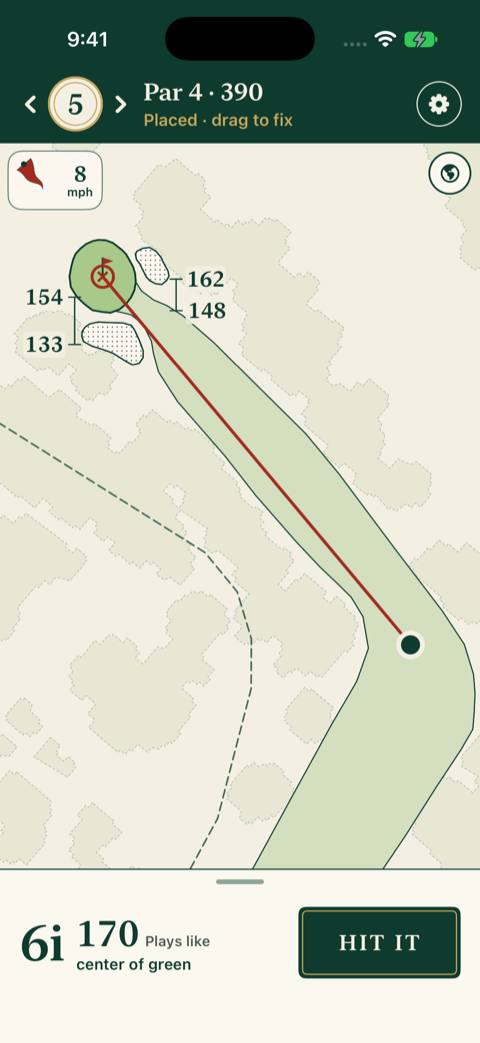
The real app
Screens from the app on an iPhone, mid-round.
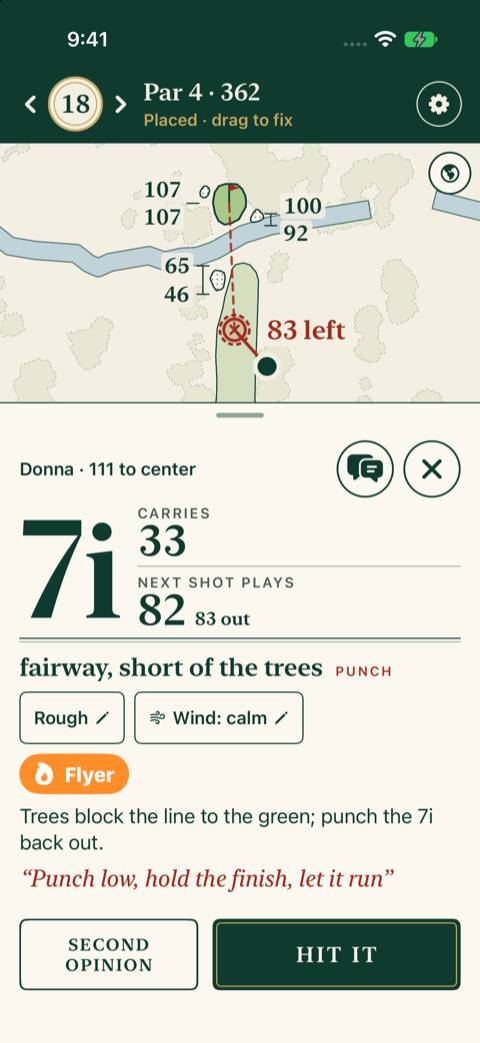
The call
Club, carry and what the next shot plays, in type you can read at arm's length. Hit it, or ask for a second opinion.
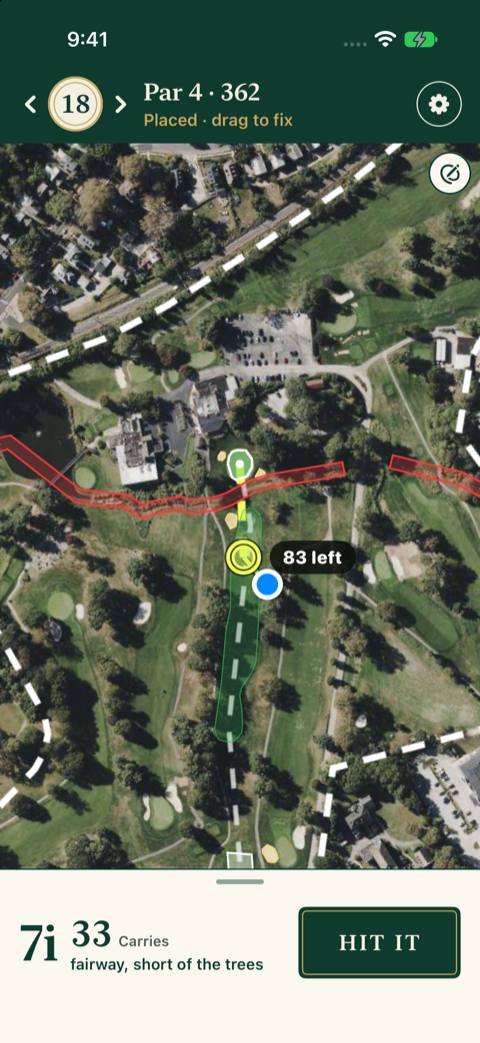
The hole, on the map
Your ball, the caddie's line and where it leaves you, on the real hole. Prefer a drawing? Switch looks in Settings.
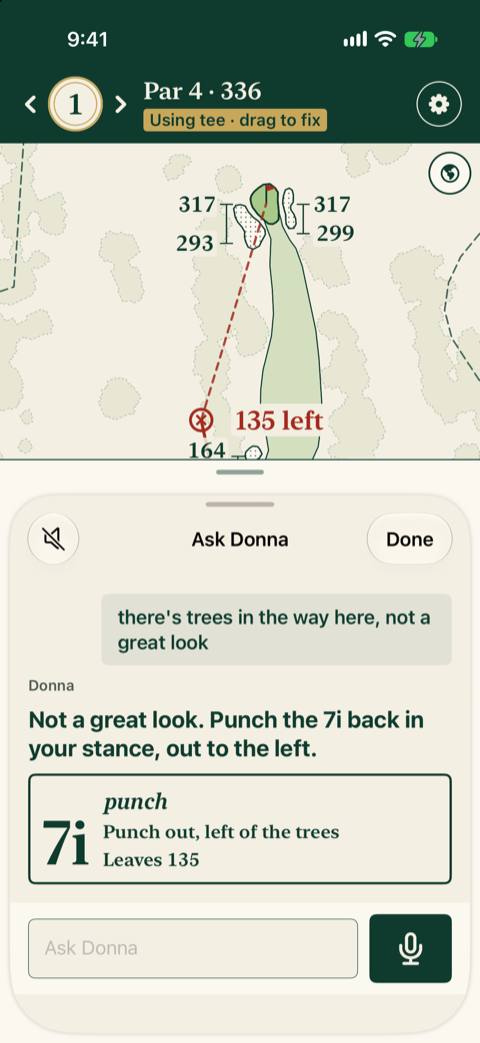
Ask it
Hold Talk, or type. Tell it what you see from your ball, and it changes the call.
How it works
-
Tee off
Start a round and the app finds you on the hole by GPS. If the dot is off, drag the ball to where you are.
-
The caddie's call
At your ball, tap Next shot. One card: the club, the target, what the shot plays like, and why, in a few words. Want to ask something? Hold Talk and ask, or type it.
-
One tap to log
After you hit, tap how it went: good, left, right, short or long. No signal? It's saved on your phone and sent when you're back in range.
-
It learns your clubs
Every logged shot tells your caddie how far you really hit each club, today and over time, so the next call fits your game.
Measured, never guessed
The AI never does the math. The app does.
The app's own code measures every yardage: from your ball to the front, middle and back of the green and to each hazard, and what the shot plays like with the slope, the wind and your lie. Your spot comes from the phone's GPS; if it's off, drag the ball. The caddie reads those numbers and picks the club, the target and the reason.
It can't make a number up. Every yardage on the card is checked against the app's own. A call that doesn't match is sent back, and if it still doesn't, you get the measured numbers without a call.
One course first: Bala
Phase 1 is Bala Golf Club in Philadelphia, a par 68.
Every hole is mapped from public map data, elevation survey and lidar for the trees, and the layout is checked by hand. The hole above is the real 5th, as the app draws it.
Questions
Why a caddie
A rangefinder gives you a number. A caddie gives you the number: the club, the target, what the shot really plays like and why, in a few words.
It works from your own clubs and how you're hitting them today, weighs the trouble against your game, and on tee shots and lay-ups says what the next shot is left with. Hold Talk to tell it what you see, or ask for a second opinion. Keep the apps you use. The Number is the caddie.
Invite-only for now
The Number is invite-only for now, on iPhone and iPad. Want in? Request an invite. Karl reads every request and sends invites a few at a time, each with a link to install the app.
You'll need iOS 18 or newer. On Android? Ask anyway: Android requests are counted. Already invited? Support walks through getting the app and the first sign-in.